
Key Takeaways:
- Digital attendance tracking decreases manual errors while giving businesses clearer visibility into working hours and work activity.
- GPS, geofencing, NFC, QR codes, and other verification methods can help businesses validate attendance across different working environments.
- Businesses must consider UK GDPR, working time regulations, data minimisation, transparency, retention, and proportionality when monitoring employees.
- Linking attendance with scheduling and digital forms makes a more complete view of planned work, attendance, and on-site activity.
- The right platform should support business growth: Businesses should evaluate usability, scalability, implementation, support, and workforce needs when selecting attendance management software in the UK.
The Growing Need for Smarter Workforce Attendance Tracking
Managing attendance is challenging when employees work across multiple shifts, sites, and customer locations. Relying on spreadsheets, paper timesheets, and manual clock-ins often leads to inaccurate records, payroll discrepancies, missed check-ins, and limited visibility into field teams. UKG research found that organisations believe only 65% of timesheets are completed accurately, and payroll and timekeeping errors can cost an average of £78 per frontline worker.
Manual processes contribute significantly to these challenges. A 2026 UK payroll report found that 48% of payroll professionals attributed payroll errors to manual processing, while 63% reported data-transfer issues. Attendance management software in the UK can help businesses replace fragmented processes with structured, digital attendance tracking.
Modern platforms offer features such as GPS and geofenced check-ins, overtime records, approvals, and payroll-ready reports, giving managers greater control over workforce attendance and time. This guide outlines how time and attendance management software works, its key benefits and features, UK data protection considerations, and factors businesses should evaluate before investing.
What is Online Attendance Management Software?
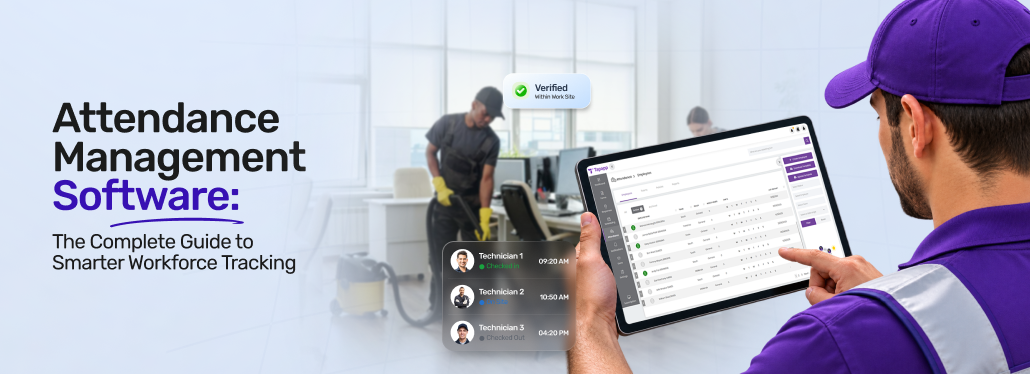
Attendance management software is a digital system that helps businesses record, manage, monitor, and report employee working hours, attendance, absences, and overtime. Instead of paper timesheets or manual spreadsheets, businesses use software to capture attendance data through digital clock-ins and automatically maintain centralised records.
For UK businesses, especially those with field-based, mobile, or multi-site teams, attendance management software can provide clear visibility into when and where employees start and finish work. Depending on the platform, employees may be able to clock in using GPS geofencing, NFC, QR codes, or mobile devices.
A typical attendance management system can help businesses:
- Record employee clock-in and clock-out times
- Track attendance across different sites and locations
- Handle overtime, breaks, and working-hour policies.
- Find out missed, late, or unusual clock-ins
- Handle leave and absence records.
- Review and approve attendance data.
- Generate attendance and payroll-ready reports.
- Maintain searchable records and audit trails.
Why Are Businesses Moving Beyond Manual Attendance Tracking?
Manual attendance tracking may work for small teams in a single location, but it becomes extremely difficult to manage as businesses expand across multiple sites, shifts, and customer locations. Attendance management system software helps businesses replace paper timesheets, spreadsheets, and manual clock-in systems with digital centralised attendance records.
For businesses handling mobile workforces, manual processes can make it harder to verify attendance, track working hours, handle overtime, and prepare accurate payroll data. These challenges can also increase administrative workloads and make it complex for managers to identify attendance issues promptly.
Common Problems with Manual Attendance Tracking
🔷 Inaccurate or Incomplete Attendance Records
Paper timesheets and manually entered spreadsheets can contain missing entries, incorrect working hours, or inconsistent records. Digital attendance tracking helps businesses capture clock-in and clock-out times more systematically.
🔷 Buddy Punching and Time Theft
When employees clock in for colleagues, businesses may struggle to verify who was actually present. Location verification, QR codes, NFC, and identity-verification features can help strengthen attendance checks.
🔷 Payroll Discrepancies
Manually calculating working hours, overtime, and breaks can result in errors during payroll preparation. Attendance software organises these records and provides payroll-ready data for review and processing.
🔷 Delayed Approvals and Administrative Work
Managers may need to gather timesheets, check discrepancies, chase missing entries, and approve hours manually. Automated attendance records, exception alerts, and digital approvals decrease repetitive administrative tasks.
🔷 Limited Visibility Across Multiple Sites
Businesses with employees working across different locations may find it difficult to confirm attendance in real time. Centralised dashboards and location-based check-ins help managers monitor attendance across multiple sites.
🔷 Limited Proof of Site Attendance
Traditional timesheets may record working hours without confirming where employees checked in. GPS, geofencing, QR codes, and timestamps can provide additional evidence of attendance at designated workplaces.
Note: How can businesses reduce disputes over employee working hours?
Tapapp helps businesses reduce disputes by providing accurate attendance records, timestamps, approvals, and clear working-hour information.
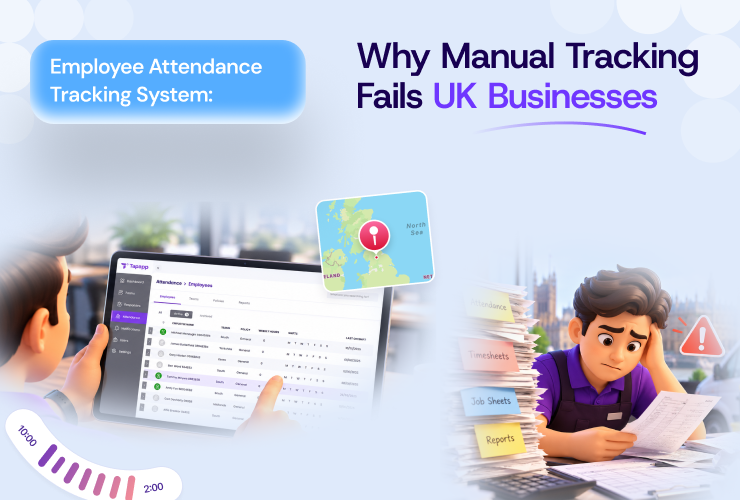
Employee Attendance Tracking System: Why Manual Tracking Fails UK Businesses
👉 Read the ArticleHow Does Online Attendance Management Software Work?
Attendance management software records employee clock-in and clock-out times, verifies attendance, tracks working hours, and organises records for managerial review. For UK businesses with field-based and multi-site teams, it can also use GPS and geofencing, QR codes, or NFC to verify attendance at designated work locations.
The process typically follows a structured workflow: Schedule → Clock In → Verify Attendance → Record Hours → Review → Approve → Report.
🔶 Employee Clocks In
Employees record their arrival using a supported attendance method, such as a mobile app, web interface, QR code, or NFC tag.
- How It Works: The system captures the employee’s clock-in time.
- Business Benefit: Decreases reliance on paper registers and manual timesheets.
- Field-team Application: Employees can record attendance directly from their assigned work locations.
🔶 Attendance Is Verified
The system checks attendance using configured location or identity verification methods.
- How it works: Geofencing, GPS, NFC, QR codes, or images can help confirm attendance.
- Business benefit: Offers additional evidence of employee presence and helps decrease inaccurate clock-ins.
- Field-team Application: Managers can verify attendance across different sites.
🔶 Working Hours Are Recorded
The system records attendance events and tracks working hours based on the organisation’s configured policies.
- How it works: It helps capture clock-in and clock-out times, overtime, breaks, and other attendance records.
- Business Benefit: Reduces manual calculations and helps organise working-hour data.
- Field-team application: Businesses can maintain attendance records for employees working different shifts and locations.
🔶 Managers Review Attendance Exceptions
The system finds irregularities that may need managerial attention.
- How It Works: It flags late arrivals, missed check-ins, overtime, or clock-ins outside approved boundaries.
- Business Advantage: Helps managers find out discrepancies and follow up on attendance issues.
- Field-team Application: Managers can review attendance exceptions across several sites via a central dashboard.
🔶 Records Are Approved and Exported
Managers review attendance records before approving them for payroll preparation and reporting.
- How it works: The system organises approved hours into reports and supports data exports.
- Business Benefit: Makes attendance data simpler to review and transfer into payroll workflows.
- Field-team Application: Businesses can consolidate attendance records across teams and locations.
Key Features to Look for in a Time and Attendance Management Software
Effective time and attendance management software for businesses should do more than record clock-in and clock-out times. It must verify attendance, track working hours, flag exceptions, and give managers an accurate overview of their workforce.
When assessing attendance solutions, prioritise the following features:
➡️ GPS Attendance and Geofencing
Key features: GPS-based check-ins, geofenced attendance zones, location capture, and support for multiple authorised work locations.
Importance: Location verification ensures employees are present at the correct site, which is especially valuable for mobile and multi-site teams.
➡️ Mobile Clock-In and Clock-Out
Key features: Mobile interface for clocking in and out via smartphones, automatic timestamps, and location verification when needed.
Importance: Mobile attendance enables practical time tracking for employees working off-site or across multiple locations.
➡️ Automated Timesheets and Working-Hour Tracking
Key features: Automatic calculation of hours worked, break tracking, overtime monitoring, and digital timesheets generated from attendance data.
Importance: Automation reduces manual timesheet work and gives managers consistent records for review and payroll.
➡️ Shift and Schedule Integration
Key features: Integration of attendance records with scheduled shifts, assigned employees, working times, and locations.
Importance: Comparing schedules with actual attendance helps managers quickly identify discrepancies such as late arrivals or missed check-ins.
➡️ Attendance Exception Management
Key features: Tools to identify missed clock-ins, forgotten clock-outs, incorrect entries, attendance corrections, and manager approvals.
Importance: A structured exception process resolves discrepancies and maintains a clear record of changes and approvals.
➡️ Real-Time Attendance Dashboard
Key features: Central dashboard displaying real-time attendance, including present, absent, late, checked-out employees, and those requiring attention.
Importance: Real-time visibility enables managers to monitor workforce availability without manual tracking or individual updates.
➡️ Attendance Reports and Analytics
Key features: Reports filterable by employee, date, location, shift, working hours, overtime, and attendance exceptions.
Importance: Structured reporting helps managers and HR teams identify attendance patterns, review hours, and prepare accurate records.
➡️ Offline Attendance Tracking
Key features: Record attendance offline and synchronise data once connectivity is restored.
Importance: Offline functionality prevents gaps in attendance records when connectivity is unreliable.
➡️ Security and Access Controls
What it should include: Role-based permissions, secure authentication, controlled access to employee records, and audit trails showing relevant changes to attendance data.
Importance: Sensitive attendance data requires strict controls over access, editing, approval, and management.
➡️ Integration Capabilities
Key features: Integration with scheduling, HR, payroll, reporting, and business automation systems.
Importance: Integrations eliminate duplicate data entry and support a seamless workflow from scheduling to payroll.
GPS Attendance vs Traditional Clock-In Systems
The difference between GPS attendance and traditional clock-in systems largely comes down to how attendance is verified. Traditional systems are generally designed for employees who report to a fixed workplace, while GPS-enabled solutions are more practical for teams working across changing locations.
| Factor | Traditional Clock-In | GPS Attendance |
|---|---|---|
| Work environment | Fixed workplace | Multiple or mobile locations |
| Verification | Time of entry or exit | Time with location context |
| Multi-site teams | Less flexible | Better suited to distributed teams |
| Location evidence | Usually unavailable | Can associate attendance with a location |
| Mobility | Designed around fixed terminals | Supports mobile working |
Traditional Clock-In Systems
Physical time clocks, access cards, PIN terminals, and biometric systems can offer a straightforward way to record attendance. They work particularly well when employees consistently enter and leave the same premises.
However, they provide limited context when employees work away from that location. A clock-in record can show when someone attended but may not establish where that attendance occurred.
GPS Attendance Systems
GPS attendance adds location information to the attendance event, making it more relevant for field-based and multi-site operations. Depending on the system configuration, employees can record attendance from authorised work locations using a mobile device.
Benefits of Attendance Management Software for UK Businesses
A premier time and attendance management software can support more than routine timekeeping. By bringing attendance records into a structured digital system, organisations can streamline workforce administration, strengthen record management, and make attendance data easier to use across HR and operations.
▶️ Creates a More Consistent Attendance Process
A standardised digital process gives employees and managers a common way to record and review attendance.
Business value: Consistent processes can reduce variations between teams, locations, and managers while making attendance administration simpler to handle as the workforce grows
▶️ Supports Payroll Wage Administration
Trustworthy attendance records can offer useful supporting information for payroll teams, mainly where employees work different shifts or receive overtime.
Business value: Clear records of working hours, overtime, and absences can help payroll teams reconcile working-time information before processing payments. HMRC also needs employers to maintain records relating to leave, pay, and sickness absence.
▶️ Helps Maintain Working-Time Records
Digital attendance records can support the documentation businesses maintain around working hours and employment obligations.
Business value: The UK government states that employers must keep certain working-hours records, and current legislation allows these records to be created and maintained in a format that the employer reasonably chooses.
▶️ Gives Employees Greater Access to Records
Digital systems can make attendance information simpler for employees and managers to review, instead of relying on paper records or separate spreadsheets.
Business value: Greater visibility makes it easier to find discrepancies early and supports clearer communication when attendance records need clarification.
▶️ Provides a Centralised workforce Record
Instead of maintaining attendance information across several spreadsheets, documents, or physical systems, businesses can consolidate relevant records within a single platform.
Business value: A unified, centralised record makes information simpler to retrieve when managers need to review attendance history, investigate discrepancies, or prepare workforce reports.
▶️ Supports Better Workforce Planning
Historical attendance information can help managers understand recurring patterns in absences, staffing, overtime, and working hours.
Business Value: These insights can inform future scheduling and resource planning, helping businesses make workforce decisions based on documented attendance information rather than assumptions.
▶️ Enhances Accountability Around Attendance Records
Digital systems can clarify and simplify attendance entries, corrections, and approvals.
Business Value: This can help organisations establish a more traceable process for handling attendance information while giving authorised managers greater control over record changes.
Note: How can attendance software improve workforce visibility for UK businesses?
Tapapp gives UK businesses real-time visibility of attendance across teams, locations, shifts, and working hours, enabling faster oversight and decisions.
Use Cases of Attendance Management Software Across Different Industries
Attendance management software supports businesses where employees work across different shifts, locations, and service environments. From cleaning companies to property management teams, digital attendance tracking helps organisations manage workforce attendance according to their operational needs.
❇️ Cleaning and Facilities Management
Cleaning companies often manage employees across multiple client sites, including offices, commercial buildings, and public facilities.
Use case: A facilities manager uses attendance software to check whether cleaning staff have reported to their assigned sites and review attendance records across different contracts.
❇️ Field Service and Maintenance
Field service businesses coordinate with technicians who travel between customer locations to complete inspections, repairs, and maintenance tasks.
Use Case: A service manager reviews attendance records for technicians assigned to different customer sites and checks whether recorded working hours align with scheduled jobs.
❇️ Grounds Maintenance and Landscaping
Grounds maintenance teams may work across parks, residential developments, commercial properties, and outdoor spaces.
Use Case: A supervisor uses location-based attendance records to verify staff arrival at designated work locations and maintain attendance information across multiple outdoor sites.
❇️ Housing and Property Management
Housing associations and property management organisations coordinate employees and contractors working across residential buildings and housing developments.
Use Case: A housing operations manager reviews attendance records for maintenance teams assigned to different properties and uses the data to support workforce coordination.
❇️ Security and Guarding Services
Security businesses handle guards working across offices, residential complexes, retail premises, and other client locations, mostly with rotating shifts.
Use Case: An operations manager checks attendance against assigned guard shifts to find out unrecorded arrivals and review staffing coverage across security sites.
❇️ Construction and Site-Based Operations
Construction businesses handle employees and subcontractors working across active sites with varying schedules and workforce needs.
Use Case: A site manager reviews attendance records to understand workforce presence during scheduled shifts and maintain documentation for site-level workforce administration.
❇️ Multi-Site Retail and Hospitality
Retail and hospitality businesses may operate multiple branches with employees working several shifts throughout the day.
Use Case: A regional manager reviews attendance across branches to find staffing gaps and compare actual attendance with planned shift coverage.
How Attendance Software Connects with Scheduling and Digital Forms?
Attendance management software becomes more useful when it works alongside scheduling and digital forms. Together, these tools make a connected workflow that helps UK businesses coordinate field teams, document service delivery, and maintain consistent operational records.
*️⃣ Scheduling Tells Teams Where and When to Work
The scheduling module organises planned work by assigning employees to specific tasks, locations, and time slots. It gives teams a clear understanding of their responsibilities before a shift begins.
*️⃣ Attendance Verifies the Visit
Once employees reach their assigned locations, the attendance module records their check-in and check-out details using supported methods like GPS, QR codes, and NFC. This connects the planned routine with the actual attendance event.
*️⃣ Forms Capture What Happened
The smart forms module lets employees complete inspections, checklists, and service forms during or after the job. Signatures, photos, timestamps, and other evidence can document completed work and provide context beyond attendance records.
*️⃣ Reporting Brings the Information Together
When scheduling, attendance, and form records are connected, managers can review planned work, attendance activity, and submitted evidence within a more organised workflow; these records can support operational reviews, timesheet checks, compliance documentation, and client reporting.
Attendance Management Software and UK Data Protection
Attendance management software: UK businesses may process employee data such as attendance times and location information. When using one of the best attendance management software options for workforce attendance, businesses should consider how they collect, access, store, and use this data in line with UK data protection requirements.
The ICO states that worker monitoring should be fair, lawful, transparent, and proportionate, including monitoring timekeeping and location technologies.
Key Data Protection Considerations
- Transparency: Tell employees what attendance and location information is collected, why it is needed, and how it will be used.
- Lawful Basis: Establish an appropriate lawful basis for processing the relevant employee information.
- Data Minimisation: Gather only information needed for the stated attendance or operational purpose.
- Access and Security: Use appropriate permissions and security controls to restrict access to workforce records.
- Retention: Set retention periods based on business and legal needs, rather than keeping attendance data indefinitely.
- Proportionality: Ensure location monitoring is likely to pose a high risk to individuals, assess whether a DPIA is needed, and provide appropriate privacy information and safeguards.
How to Choose Attendance Management Software in the UK?
To select reliable attendance management software in the UK, assess how well each platform aligns with your workforce, attendance processes, and current systems. Use this checklist to compare options.
1️⃣ Consider Your Workforce Structure
Check: Whether the software supports office-based, shift-based, field-based, mobile, and multi-site teams.
Why it Matters: The solution must match where and how employees work.
2️⃣ Check Attendance Verification Options
Check: GPS, geofencing, QR, NFC, and identity verification options.
Why it Matters: Each work environment may require specific attendance verification methods.
3️⃣ Evaluate Payroll Functionality
Check: Overtime, breaks, approvals, exports, and payroll integrations.
Why it Matters: Robust payroll features reduce manual processing of attendance records.
4️⃣ Check Offline Functionality
Check: Whether employees can record attendance without connectivity and sync records later.
Why it Matters: Offline functionality is essential for teams in areas with unreliable connectivity.
5️⃣ Review Reporting and Audit Capabilities
Check: Attendance reports, exception records, approval history, and audit trails.
Why it Matters: Managers require accessible records for effective workforce management and reviews.
6️⃣ Consider Privacy and Security
Check: Permissions, encryption, data controls, and privacy features.
Why it Matters: Proper handling of attendance and location data is critical for privacy and security.
7️⃣ Look for Integrations
Check: Connections with scheduling, payroll, HR, reporting, and other workforce systems.
Why it Matters: Integrations help eliminate duplicate data entry.
8️⃣ Assess Scalability and Ease of Use
Check: User capacity, administration, and usability as teams or locations expand.
Why it Matters: The software must remain practical as workforce needs evolve.
9️⃣ Test the Mobile Experience
Check: Mobile navigation, attendance workflows, speed, and ease of use.
Why it Matters: An intuitive mobile experience supports consistent use by field teams.
How Much Does Attendance Management Software Cost in the UK?
Attendance management software pricing depends on workforce size, integrations, and business-specific operational needs.
- Number of Users: Larger workforces typically need more user licenses, which can increase the overall subscription cost.
- Number of Sites: Businesses with multiple locations may need additional site management capabilities, which can affect software pricing.
- Features and Modules: Costs may vary depending on the attendance scheduling, forms, reporting, and workforce management modules you select.
- Integrations: Connecting attendance software with HR, payroll, accounting, and other platforms can influence implementation and subscription costs.
- Support Requirements: Training, onboarding, technical assistance, and dedicated support services can influence the overall software investment.
- Contract and Add-Ons: Contract duration, additional functionality, custom requirements, and optional add-ons can change the final pricing.
How Does Tapapp Help Businesses in the UK Manage Workforce Attendance?
Tapapp’s attendance management software UK brings attendance, scheduling, and digital forms together to give businesses a connected view of field workforce activity.
- Flexible Verification: Choose GPS, QR codes, selfie verification, NFC, or geofencing as per different sites and workforce needs.
- Location Control: Set custom geo-radius parameters and get alerts when employees attempt to check in outside approved boundaries.
- Trustworthy Field Recording: Offline attendance lets employees record time without ongoing connectivity, with information synchronised when connectivity returns. Policy-Based Management: Apply defined rules for overtime, breaks, approvals, and attendance handling across locations and teams.
- Clear Accountability: Audit trails offer a record of attendance activity, changes, and approvals for simpler workforce administration.
- Payroll-Ready Information: Turn recorded working-time data into structured information that supports payroll preparation and administrative processes.
- Connected Operations: Combine scheduled work with verified attendance and Smart Forms to create a continuous workflow from planned shift to completed job and supporting evidence.
Frequently Asked Questions
Yes. Tapapp helps managers find usual activity via location verification, geofencing, boundary alerts, and accessible attendance records for review.
Tapapp can align attendance tracking with existing schedules, locations, and workflows, helping businesses transition without unnecessarily changing established workforce processes.
Yes, Tapapp can help businesses record attendance for temporary and contract workers, along with permanent employees, across teams, sites, and shifts.
Yes, Tapapp supports offline attendance, enabling employees to record attendance without connectivity and synchronise information when a connection becomes available.
Tapapp connects attendance with scheduling and smart forms, helping businesses link planned work, attendance activity, and job-related data within a single, unified platform.
Tapapp offers a connected platform for attendance, scheduling, and smart forms, helping businesses handle growing teams, locations, and operational needs.
Tapapp offers attendance tools while businesses stay responsible for lawful processing, transparency, minimisation, retention, and privacy when using employee location data.
Tapapp offers GPS attendance, geofencing, permissions, and audit trails, helping businesses handle field activity while applying proportionate monitoring practices.