Key Takeaways:
- Manual systems fail at 10+ sites due to lack of real-time visibility and increasing operational complexity.
- Workforce management software centralises scheduling, attendance, forms, and reporting into one unified system.
- Automation removes repetitive admin tasks such as timesheets, reporting, and payroll preparation.
- Digital tools provide GPS, photos, timestamps, and signatures as proof of work, ensuring compliance with UK standards.
There’s a version of multiple site management that appears fine on the surface. You have got staff on the ground, jobs are getting completed, and clients aren’t complaining actively. Though underneath this, things are messier than they should be, and most businesses find out only when things get out of hand.
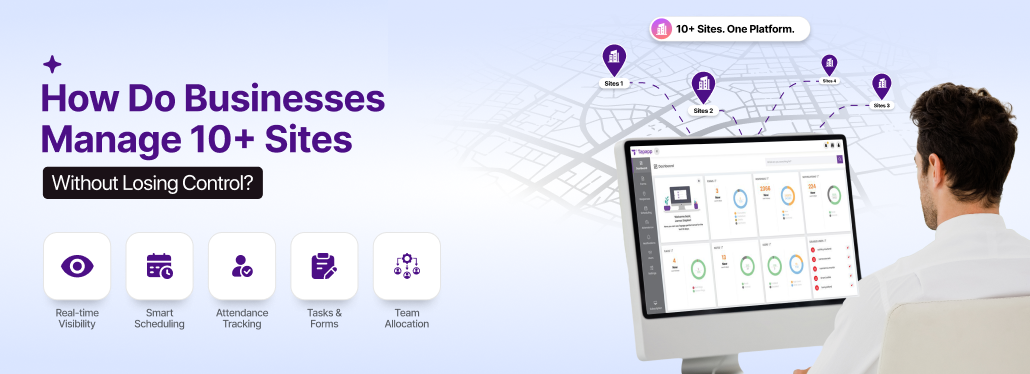
Without stable workforce management software, the jump from managing two or three sites to ten or more is where challenges intensify. At a smaller scale, you can tackle everything because you know your team and your sites, and can obtain updates with a mere phone call. However, when it’s about a bigger organisation, personal oversight turns from being advantageous to bottlenecks.
Businesses that are field-based, such as cleaning, security, grounds maintenance, and landscaping, involve the complexity of coordinating employees across different locations baked into everyday operations.
When scaling, small issues such as missed updates at a site, scheduling errors, and check-in/check-out problems start multiplying. In these situations, managers become reactive rather than proactive.
This is precisely where a workforce management system becomes essential.
Real Problems with Managing 10+ Sites without Workforce Management Software
Ten or more sites and manual management don’t just slow you down, but actively work against you.
The real problem is not that your team isn’t working hard, but that the manual system outgrows what you can handle. A scheduled appointment written in a spreadsheet becomes outdated the moment someone calls in sick, or sometimes jobs are assigned over SMS or WhatsApp. Timesheets submitted on paper don’t match the hours your clients say were worked.
Here’s what really happens on the ground:
🔷 No Visibility Across Sites
One of the most common issues is a lack of visibility. Managers usually depend on supervisors to report updates, and these updates come through texts or calls, usually at the end of the day, and by then, it’s already outdated.
Without a centralised system, you are managing blind because you don’t know:
- Who is on-site
- Which tasks are done
- Where do the gaps exist
And when you are responsible for 10+ sites, the lack of visibility is a serious operational problem.
🔷 Communication Breakdowns Between Teams
Communication is mostly fragmented in manual setups, mainly across WhatsApp groups or emails. Here’s what happens typically:
- A schedule change shared in a group can be missed by half of the team
- Admins update the shift, but field staff never receive it
These are more than small inconveniences.
🔷 Scheduling Errors & Overlaps
When multiple sites and teams are involved, manual workflow can lead to mistakes. Even an experienced manager struggles with:
- Staff availability
- Shift timing across locations
This can result in the same employee being assigned to two different shifts, or a shift can be left unassigned. These issues impact service delivery.
🔷 No Proof of Work or Accountability
With manual systems, having no proof of work is another major challenge. You have no accountability for:
- Who completed their shift
- When they arrived or left
- Whether tasks were completed
This becomes a huge problem when clients request reports or disputes arise over service delivery.
🔷 Inaccurate Attendance & Time Tracking
Tracking attendance manually is one of the most unreliable parts of multi-site operations. Some of the common issues include:
- Buddy punching
- No proof of location at check-in
- Incorrect or adjusted timesheets
When managing multiple sites, it directly impacts:
- Payroll accuracy
- Client billing
Without a structured system, you are relying on trust instead of data.
🔷 Forms, Compliance & Documentation Become Chaotic
Managing compliance across various sites is extremely tough when you don’t have a proper system in place. Think about:
- Health and safety checklists
- Site inspection forms
- SLA documentation
When these are handled on paper:
- Forms get lost
- No audit trail exists
- Data is incomplete
In industries where compliance is a necessity, a manual system is risky.
What is Workforce Management Software and Why It Matters
Workforce management software is designed to streamline and optimise the way an organisation manages its workforce. It oversees the following areas:
- Employee scheduling, time, and attendance management
- Absence management or employee leave
- Workforce compliance and health and safety
This software allows businesses to allocate resources, ensure compliance, and enhance productivity. Most multi-site operations run in loops. When something goes wrong, you quickly find out and fix it.
WMS breaks this loop. The attendance issues that appeared before become a no-show. The scheduling gaps can be addressed before the client notices. You get your timesheet data ready before payroll week.
For field-based businesses, this isn’t a luxury but a way to scale. With the right software, you don’t just manage your workforce, but it also gives you back your time.
Everything in One Place: Managing Multiple Sites from a Single Platform
The biggest transition that comes when you shift to a workforce management system is no single feature, but the fact that everything lives in one place.
Currently, your operations may be spread across several tools and systems that do not stay synced. Schedules and attendance in spreadsheets, timesheets on paper, job updates over text or phone calls, and payroll done manually. These systems work independently, and that’s the main issue.
A centralised workforce management software in the UK eliminates these problems, keeping everything managed in one unified system.
Let us explain what this actually looks like in real operations:
➡️ No Scheduling Conflicts
Double bookings or missed shifts happen not because people aren’t paying attention, but because schedules are built with no live views of what’s happening at the site.
A unified scheduling management software helps flag conflicts instantly, prevent double bookings, and ensures every shift is assigned properly.
➡️ Tracking Attendance Across Multiple Sites
When you need to handle 10+ sites, attendance becomes hard to manage. Manual methods don’t update you on what’s happening in real-time.
With a robust attendance management system, work becomes transparent and accurate. GPS-verified clock-ins eliminate the guesswork, and you receive instant alerts whether a job was completed or not. This means no more chasing timesheets at the end of the month, hoping that the numbers could add up.
➡️ Staying Compliant Across Every Site
Every site that your team works on carries some compliance regulations that need to be abided by, such as working hour limits, safety checks, certifications, and right-to-work documentation.
Workforce management software in the UK tracks it automatically. Certificates that are expiring get flagged before they lapse, and compliance checklists are built into job workflows, so nothing gets skipped. Therefore, during audits, your records remain organised, accurate, and completely ready.
Such a centralised platform ensures that every action is recorded digitally, data is stored securely, and audit trails are maintained automatically.
➡️ Replacing Paper Forms with Digital Workflows
Paper sheets are lost, damaged, and sometimes do not even reach the office. A premium mobile forms app fixes everything by removing any kind of complexity your field teams may face.
Mobile device supports safety checks, job reports, sign-off forms, and incident logs—on-site and in real-time. The data straightaway goes into the system after the staff completes their job.
When switching to digital workflows, you are assured that:
- Forms are standardised across every site
- Required fields ensure nothing gets skipped
- Signatures, photos, and timestamps are all captured
Managers don’t need to chase paperwork when the entire data is available in real-time.
➡️ Improving Team Coordination
Most multi-site communication issues are caused by a lack of proper structure. Messages remain scattered across emails, WhatsApp groups, or phone calls, which may mean the right information probably doesn’t reach the right person.
An all-in-one platform provides teams with the ability to make job updates, assign tasks, communicate directly, and modify shifts. This helps field staff understand the instructions clearly before they reach the site. Additionally, the back office doesn’t have to end up having five different conversations to find out what’s happening on the ground.
➡️ From Disconnected Tools to One Controlled System
Moving from disconnected tools to a unified workforce management system is a huge shift; it means you are moving from fragmented processes to a single source of truth. This is a broader shift towards cloud-based solutions that provide real-time data insights.
Managing Compliance Across Multiple Sites
Naturally, when you have 10+ sites to handle, staying compliant is no longer a simple task. It requires sharp attention to detail. This is because you are constantly dealing with managing cleaning contracts, facilities management, and security services, where every site must meet the strict regulatory standards, and every action needs proper documentation.
With workforce management software, all your processes become verifiable and audit-ready. Let’s find out more.
▶️ Digital Audit Tools
Paper records can be lost but a centralised system creates digital audit trails for every activity, such as:
- Shift assignments
- Staff check-in and check-out
- Task completion
- Forms submissions
This means the manager always has a clear record of what happened, where and when.
▶️ GPS & Timestamped Proof of Work
During multi-site operations, proof of work cannot be inconsistent, scattered, or unverified. A reliable software backs every action by:
- GPS location data to ensure where the work was done
- Timestamps to cross-check what happened
- Photos and signatures for task completion
This builds stronger trust with clients.
▶️ Meeting UK Standards
Compliance is a strict industry standard for UK-based businesses. And you need to align with:
- Health and Safety Executive (HSE) requirements
- ISO standards
- GDPR regulations
A one-stop management system helps remain compliant by securing data storage and access, and enforcing required fields in forms.
Industries That Manage 10+ Sites Efficiently with Workforce Management Software
Depending on the industry you are in, workforce management challenges look different. The pain points, the root cause—everything is unique. Connected software is all that you need to scale your business efficiently.
🔶 Grounds Management & Landscaping
Problem:
Managing contracts of estates, parks, and commercial sites makes it tough to keep a record of whether work was completed on time and as agreed.
Grounds maintenance teams deal with season demand and weather-dependent scheduling with crews across several locations on any given day.
How it’s handled:
- Recurring job scheduling for long-term contracts
- GPS-backed attended to ensure site visits
- Digital forms with photos and signatures
- Automated SLA report for client visibility
Result:
With trusted grounds maintenance management software, every project is executed properly and proven with audit-ready records, maintaining SLA compliance and long-term contracts.
🔶 Commercial Cleaning
Commercial cleaning operations run on tighter margins, multiple sites, rotating staff, and tough schedules, creating major challenges in tracking attendance and ensuring tasks are completed on time.
How it’s handled:
- Build and manage recurring shifts across all client sites
- Instant notifications when a team member doesn’t check-in
- Track attendance with GPS-based clock-ins
- Real-time visibility into site activity
Result:
Expect consistent service delivery with cleaning business management software, reducing missed shifts and ensuring better coordination, along with proof of client reporting.
🔶 Service & Maintenance
Service and maintenance businesses live by fast response times and high job completion rates to deliver top-notch service.
Problem:
When engineers are spread across different sites and jobs keep shifting, paper sheets for record keeping create nothing but bottlenecks that prove to be expensive for you.
How it’s handled:
- Job scheduling and tracking across various sites in real-time
- Capture signatures, reports, and photos on-site so nothing gets lost
- Field workers have mobile access to see job details, history, and complete forms
- Automated reports give you real-time reports of every site
Result:
Get more structured and faster service delivery with efficient maintenance management software UK with complete documentation, fewer client disputes, and improved SLA performance.
Reducing Admin Work with Automation
Without an all-in-one operations system, you probably are chasing timesheets, retyping data into payroll, following up on missing compliance documents, and manually building rotas. None of this requires skill but time. And when dealing with multi-site and multiple projects, it requires a lot of time.
Automation doesn’t replace your team members, it simply removes the tasks that were wasting their time.
- Timesheets Complete Themselves: When field staff clock-in and out via mobile with GPS verifications, timesheets are built automatically. And by the end of the week, all the data is already there, ready for payroll.
- Shift Reminders that Go On Without You: Automated alerts remind staff of their upcoming shifts, notify managers when someone hasn’t checked-in, and flag unconfirmed attendance. All of this happens without the need to send messages manually.
- Payrolls Don’t Require Full Day to be Prepared: When the data directly comes from field to the payroll system, calculations are automatically done. A modern workforce management software stops making the payroll week the most stressful one.
- Reports Arrive Without Being Requested: Attendance summaries, job completion, and compliance reviews are generated and delivered automatically, so you remain updated and have the complete picture.
How to Scale from 5 to 10+ Sites Without Adding Overhead
The jump from five to ten sites doesn’t just double the load of work but multiplies the number of people to coordinate with, the number of compliance obligations to keep an eye on, and the number of things that can go wrong any day. If your systems don’t scale, you just end up hiring more staff to keep up with the operations.
However, businesses that scale share one thing in common. They build their workflow in systems that grow with them.
- Start with a unified system
- Standardise how every site works
- Site managers get autonomy without losing oversight
- Track performance before problems crop up
Whether scaling from five to ten, ten to twenty, an intelligent workforce management software is all ready with the infrastructure to handle everything.
How to Choose the Right Workforce Management Software for Your Business
If you select the wrong workforce management system, you are only creating a new set of issues on top of the ones you are already solving. Here’s how you can evaluate:
💠 Does it work for my specific industry?
A generic software is built for desk-based teams. Look for a platform with proven use cases in your sector that can understand your service completely.
💠 Can the field teams use it?
If your workforce management platform cannot adapt to your workflow, it’s not worth it. Before you buy anything, give your field team the mobile app, if they need training to carry out basic tasks, it is complicated. Invest in software that works across multiple sites in a single day.
💠 Does it connect with my existing system?
HR, accounting, and payroll, if your workforce management software doesn’t integrate with what you are already using, then you need to look for an alternative. It’s best to look for specific integration that benefits your operations.
💠 Does it scale without getting expensive?
Understand how pricing changes per feature, per user, or per site. The last thing you want is the software to become a cost problem the moment you install it.
Simplify Multi-Site Management with the Right Tools
Managing several sites at once shouldn’t feel complex. The good news is that multi-site management isn’t a permanent condition, it’s only a system problem, and the right one has the right solution for your business operations.
When scheduling, attendance, forms, compliance, reports, and payroll are all integrated into a single system, managers gain real-time visibility, and field teams have access to an easy-to-use mobile tool; as a result, operations transform significantly and become increasingly efficient over time.
This is where Tapapp fits in.
Tapapp is a leading comprehensive workforce management software in the UK, specifically built to handle everything in one connected platform. It ensures that every job is carefully planned, tracked, and proven.
From your first survey to your twentieth, Tapapp scales with you.
The right system is already here, all you need is to make a switch.
Frequently Asked Questions
Yes, our workforce management software handles both recurring and emergency jobs without breaking your schedule. Recurring jobs run automatically, and emergency ones can be assigned quickly to the nearest team available, and everyone gets notified in real-time.
With Tapapp, you don’t need to be present on-site to stay in control. Our platform gives you live visibility across every location with attendance and before and after pictures as well, all from one screen.
Yes, our mobile app works offline as well, so your team can complete jobs, fill out forms, and log in attendance without a signal. Once the connectivity is restored, everything gets synced.
Not extensively. Our workforce management software is designed to be simple. We offer full onboarding support for anyone who needs it.
Yes, we make the transition quite smooth, so your employee records, existing ROTAs, and job history can be migrated, so you don’t have to start from scratch when you go live.
We have got you covered. Tapapp supports check-in methods, including tablet kiosks on-site, so every team member can clock-in regardless of whether they own a device.
Your data is stored on UK-based servers and is fully GDPR compliant. Authorised users in your organisation have access, and you stay in complete control of your data at all times.