Key Takeaways:
- Attendance software isn’t one-size-fits-all. The right one depends on whether your team works from an office, shifts, or across multiple sites.
- Field-based businesses need more than clock-in and out option, they need GPS, offline capability, and more.
- Attendance data works best when connected to scheduling and digital forms, not managed separately.
What to Know About Attendance Tracking Software
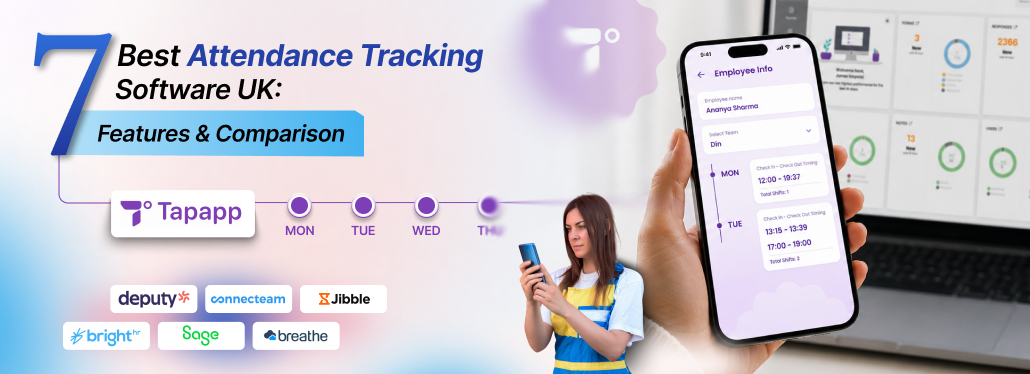
Having the best attendance tracking software in the UK depends on your workforce, your sites, and how your team actually clocks in. Leading businesses, such as Tapapp, Deputy, Connecteam, Jibble, BrightHR, Sage HR, and Breathe are some of the strongest options for businesses in the UK.
If your team works across sites rather than one office, Tapapp is built for exactly that, combining GPS attendance, scheduling, and job management together in one platform.
Our blog breaks down popular attendance tracking platforms, what it’s actually good for, and how to pick the right one for your team.
What Is Attendance Tracking Software in the UK?
Attendance tracking software in the UK eases everyday business activities by recording, verifying, and managing employees right from clock-in to clock out.
Tapapp is one of the best attendance tracking software in the UK, particularly for field-based businesses, managing employees across multiple locations. It combines NFC and QR check-ins, selfie check-ins, GPS geofencing, scheduling, digital forms, and payroll-ready hours. This helps attendance data connect with the work being carried out.
Deputy, Connecteam, Jibble, BrightHR, Sage HR and Breathe are other options, each suited to different team structures and business sizes.
Note: Is employee GPS tracking legal in the UK?
Yes, it is, as long as employees are informed and it’s used for genuine business purposes. Under the UK GDPR, businesses need to be transparent regarding what they track, why, and must collect data that’s necessary for the job only.
What Features Should Attendance Tracking Software Have?
The must-have features of attendance tracking software include clock-in/out, GPS tracking, timesheets, scheduling, geofencing, absence management, reporting, and payroll-ready hours.
If yours is a field-based service, you can add QR codes, selfie verification, digital forms, and offline functionality as well for better visibility of the work being carried out.
🔷 Clock-In and Clock Out
- Selfie check-in captures a selfie as visual proof of attendance.
- Scan a site QR code to record attendance.
- Tap an NFC tag to check-in or out quickly.
🔷 GPS Location Tracking
- GPS confirms where an employee was when they clocked in.
- Geofencing sets a virtual boundary around a job site, so clock-ins outside that radius gets flagged.
🔷 Employee Scheduling
- Managers can assign staff to specific shifts, locations, jobs, and working hours in advance.
- Schedule shifts can be compared with actual attendance to see missed or late check-ins.
🔷 Timesheets
- Digital timesheets record working hours without employees/managers needing to maintain them manually.
- Managers can review, approve, and use accurate working hour data for reporting and payroll.
🔷 Absence and Leave Management
- Holiday requests, sick leave, and no-shows all need a record.
- Managers get a clear view of employee availability when planning shifts
🔷 Overtime Tracking
- Attendance tracking software can spot hours worked beyond the scheduled working time.
- It becomes easier to review overtime, maintain accurate data, and identify recurring additional hours.
🔷 Attendance Reports
- Managers can generate reports of working hours, late arrivals, absences, missed check-ins, and overtime.
- Records make it easier to identify attendance patterns and keep workforce organised.
🔷 Offline Usage
- Field teams can keep working without waiting for a stable internet connection.
- Jobs and forms work with no signal. Everything syncs when you are back in range.
🔷 Digital Forms and Job Records
- Digital forms allow employees to capture job completion, notes, and photos alongside their check-in.
- This gives visibility into who was on site and the work that got completed.
Which Is the Best Attendance Tracking Software for Your Business?
Each of the following platforms serves a different business need. We’ll take a closer look at the popular options and see what each one brings to the table.
1. Tapapp – Best for Field-Based Businesses
Tapapp is built for businesses whose teams aren’t sitting at a desk—cleaning crews, facilities management, grounds maintenance, housing management, anyone working across sites. It combines attendance tracking with scheduling, GPS verification, digital forms, and workforce management.
Features:
- GPS check-in/check-out & geofencing
- NFC check-in/check-out
- QR code attendance & selfie verification
- Mobile attendance
- Timesheets & payroll-ready hours
- Scheduling
- AI-powered digital forms
- Reporting
- Offline capability
Best For:
- Housing Management: Keep inspections, maintenance visits, and property-related tasks organised while giving teams a clear record of work completion.
- Commercial Cleaning: Schedule cleaning teams, verify site attendance, and capture digital cleaning records without relying on paperwork.
- Grounds Maintenance: Manage teams across multiple sites, track attendance, and keep scheduled work visible in one centralised system.
- Services & Maintenance: Assign jobs, track time on site, and capture information digitally for improved daily oversight.
- Security & Guarding: Monitor attendance across shifts and locations, keeping clear records of when and where guards checked-in.
- Facilities Management: Manage multiple contracts and sites right from one dashboard instead of managing spreadsheets per client.
- Fire & Life Safety: Keep safety checks scheduled and organised and give teams a reliable way to record attendance, inspections, and completed work.
- Pest Control: Help technicians record attendance and capture details digitally while moving from one site to another.
- Councils & Schools: Coordinate staff across buildings and sites while keeping attendance, scheduled tasks, and service records easy to manage.
Why Choose Tapapp?
Tapapp is ISO: 27001 certified and UKAS-accredited, giving UK businesses confidence that their workforce and data are handled securely. Built with UK field service businesses in mind, the software helps them know who is working and where, connect attendance with scheduled work, and eliminate the need for manual timesheets.
Security & Compliance: Built with security and UK data protection, Tapapp provides businesses with recognised certifications:
- ISO 27001 certified and UKAS accredited.
- Cyber Essentials certified and ICO registered.
- GDPR data expiry automatically removes photos, signatures, and personal data based on set rules.
Note: Can attendance data be used as evidence in a dispute?
Sure, attendance data can be used as evidence in case of a dispute. Attendance records are time-stamped and location-verified to support business payroll disputes, disagreement with clients, or HR investigations.
2. Deputy – Best for Shift-Based Businesses
Deputy is a workforce management platform that helps small businesses manage scheduling, HR, timesheets, payroll, and communication effortlessly.
The time and attendance functionality allows employees to clock-in and out through the app, while managers can monitor attendance, manage breaks, and review timesheets.
Key Features:
- Mobile clock-in and clock out
- Real-time attendance visibility
- Digital timesheets
- Break tracking
- Shift scheduling
- Overtime management
- Payroll integrations
- Employee mobile app
- Attendance reporting
For shift-based businesses, Deputy’s ability to compare scheduled shifts with actual attendance allows managers to spot late arrivals or missed shifts before they affect the payroll.
Pros:
- Combines scheduling and attendance tool in one platform
- Mobile experience is genuinely easy for managers and employees
- Works well for businesses running multiple locations
- Gives real-time attendance visibility
- Designed specifically for shift-based workforce management
Cons:
- More functionality and broader if you are only looking for simple attendance tracking
- Payroll and other business functions may need extra integrations
Best For:
Hospitality, healthcare, restaurants, retail, and other shift-based businesses.
3. Connecteam – Best for Deskless and Mobile Workforces
Connecteam platform is built around the needs of deskless and frontline workers.
The attendance tools include mobile time tracking, GPS-based clock-ins, and geofencing, making it suitable for teams working across multiple sites and locations.
Key Features:
- Mobile time clock
- GPS tracking
- Geofencing
- Employee scheduling
- Timesheets
- Break management
- Team communication
- Job management
- Payroll-related workflows
- Mobile workforce management
The platform’s major strength lies in attendance, scheduling, forms and checklists, and workforce management, bringing together everything in one platform.
Pros:
- Built for deskless workers specifically
- Offers strong mobile functionality for frontline workers
- Tracks locations with GPS and geofencing capabilities
- Combines scheduling and accurate attendance tracking
- Provides additional tools for managing workforce
Cons:
- Broad feature sets may be more than smaller business need for simple attendance tracking
- Pricing and functionality vary based on selected plan
Best For:
Construction companies, healthcare organisations, retail businesses, restaurants, field service teams, and other deskless workforces.
4. Jibble – Best for GPS and Biometric Attendance Tracking
Jibble focuses on time and attendance specifically, and it does it well with GPS tracking, facial recognition, and geofencing—all built into one. It’s a practical option for businesses that need solid proof of employees’ attendance.
Key Features:
- Mobile clock-in/out
- GPS tracking
- Geofencing
- Facial recognition
- Timesheets
- Overtime tracking
- Attendance reports
- Time-off management
- Employee scheduling
Facial recognition earns a mention here. It’s a straightforward way to stop buddy punching.
Pros:
- Focused specifically on time and attendance
- Combines GPS and geofencing
- Facial recognition adds strong check-in verification
- Easy mobile-first approach
- Best for employees working across sites
Cons:
- Businesses looking for wider job and workforce management may need add-on tools
- The emphasis is on attendance rather than broader operations
Best For:
Construction, manufacturing, logistics, retail, healthcare, and hospitality businesses.
5. BrightHR – Best for UK SMEs Combining HR and Attendance
BrightHR is primarily an HR platform built for UK businesses, with attendance, absence, and rota management included within its wider offering. It works best for small to medium businesses that want to handle employee records, attendance, and holidays without bringing in a dedicated workforce management system.
Key Features:
- Employee records
- Attendance tracking
- Absence management
- Rota management
- Holiday management
- HR documentation
- Mobile access
- HR reporting
The platform works well when attendance is a part of a wider HR setup.
Pros:
- UK-focused HR platform
- Brings HR and attendance in one centralised system
- Well suited for smaller and mid-sized businesses
- Absence management comes as part of the wider HR package
Cons:
- Less suited to complex field-service workflows
- Businesses managing mobile teams may need more specialised tools
Best For:
Small to mid-sized businesses across healthcare, construction, hospitality, retail, logistics, beauty, and charities.
6. Sage HR – Best for Businesses Using Sage
If you are already running Sage Payroll or other Sage products, Sage HR is worth the look. It brings HR management, time tracking, and attendance into the wider Sage ecosystem, making it easier to keep employee information and related processes connected.
Key Features:
- Employee time tracking
- Timesheets
- Attendance management
- Leave management
- HR records
- Scheduling options
- Payroll ecosystem integration
- Employee self-service
One of Sage HR’s main strengths is its connection with the wider Sage ecosystem.
Pros:
- Works well with the wider Sage ecosystem
- Familiar option for UK businesses already using Sage
- Combines HR with attendance and time tracking
- Useful for growing organisations
- Lets employees manage their own HR information
Cons:
- Some functionality is modular or requires additional products
- Businesses managing highly mobile teams may be better off with a platform built around field operations
Best For:
Growing UK businesses already using Sage or looking to combine HR and attendance within one business software setup.
7. Breathe – Best for Simple HR & Absence Management
Breathe is a UK-based HR platform aimed at small and mid-sized businesses. It keeps everyday HR activities simple, covering employee records, absences, and holidays. The platform also cuts admin time and looks after the employee’s wellbeing.
Key Features:
- Employee records
- Holiday management
- Absence management
- HR documentation
- Employee self-service
- Reporting
- HR administration
Instead of focusing on field workforce management, Breathe is ideal for businesses that want to manage their everyday HR processes.
Pros:
- Simple approach to everyday HR management
- Build with UK SMEs in mind
- Easy way to manage employee information
- Covers essential HR administration in one place
Cons:
- Not designed as a dedicated field attendance platform
- Limitations when it’s about complex mobile workforce scheduling or location-based attendance
Best For:
Small UK businesses across construction, education, healthcare, legal services, and more.
Attendance Tracking Software UK: Which Option Fits Your Business Best?
Each business has a different approach to attendance. So, this quick comparison shows where each option fits the best. This way, you can see which one matches the way your team really works.
| Software | Best For | Key Attendance Features | Best Suited For |
| Tapapp | Field-based and mobile teams | GPS & geofencing, NFC/QR check-in, selfie verification, scheduling, digital forms, offline usage | Cleaning, housing, maintenance, facilities management, security and service businesses |
| Deputy | Shift-based businesses | Mobile clock-in/out, real-time attendance, timesheets, break tracking, scheduling, overtime | Hospitality, retail, healthcare and restaurants |
| Connecteam | Deskless workforces | GPS clock-in, geofencing, mobile time clock, scheduling | Construction, field service, healthcare, retail |
| Jibble | GPS and biometric attendance | GPS, geofencing, facial recognition, time tracking | Construction, manufacturing, logistics, retail, healthcare, and hospitality businesses |
| BrightHR | UK SMEs | Clock-in, absence tracking, rotas, HR management | Small and medium-sized UK businesses |
| Sage HR | Businesses using Sage | Time tracking, attendance, leave, payroll ecosystem | Growing UK businesses |
| Breathe | Simple HR administration | Employee records, holidays, absence management, HR reporting | UK SMEs |
How to Choose the Right Attendance Tracking Software?
Software with most features doesn’t mean an ideal fit. Choosing the right attendance tracking software in the UK requires strategic decisions for every company. A modern attendance system must be secure, flexible, and faster than just being a basic tracker.
🔷 Consider Where Your Employees Work
Office-based teams may only need basic clock-in and timesheets. Field teams need more:
- GPS tracking that verifies where employees’ clock-in and out
- Geofencing flags or blocks check-ins outside the job-site radius
- Mobile check-in lets staff record attendance from anywhere
- Location verification adds proof beyond just timestamp
- Offline capabilities work even without limited or no internet access
- Site-specific attendance separates data by location
For mobile teams, location-based attendance offers more visibility compared to a traditional office-based time clock.
🔷 Look Beyond Clock-In and Clock Out
Attendance is just one part of the software system. Check if the platform also manages:
- Employee schedules
- Jobs & tasks
- Digital forms
- Inspections
- Timesheets
- Absence management
- Overtime
- Reporting
- Payroll preparation
A well-connected system can remove duplicate data entry between different systems.
🔷 Check Mobile Functionality
For field-service businesses, mobile functionality is non-negotiable. Ask yourself:
- Can employees directly clock-in from their phones?
- Is the system capable of verifying the location?
- Can managers see real-time attendance updates?
- Can employees check their schedules on the go?
- Does the app work with poor or no signal?
These matter most in cleaning, grounds maintenance, maintenance, and facilities management.
🔷 Consider Attendance Verification
A basic “Clock-In” button isn’t enough. Depending on your operations, you might need:
GPS → Geofence → QR Code → Selfie → Facial Recognition
The right level of verification depends on how important physical presence is to your operations.
🔷 Look at Reporting
Attendance data is only useful once it turns into insight.
Look for reports covering:
- Hours worked
- Late arrivals
- Early departures
- Overtime
- Absences
- Missed check-ins
- Location information
- Scheduled vs actual hours
Good reporting catches workforce issues early, before they turn into expensive ones.
Note: How much does attendance tracking software cost for a UK business?
Pricing of attendance tracking software depends on team size and features. It’s worth comparing what each tier actually includes, since sometimes, GPS and geofencing are locked behind higher plans.
Why Is Attendance Tracking Software Important for UK Businesses?
Manual attendance tracking causes more issues than most businesses realise, until they add them up.
➡️ Payroll Errors
Handwritten timesheets mean someone has to manually re-enter that data into payroll. Every manual step is a chance for a mistake to slip through.
➡️ Time Theft
Without proper verification, you may not be able to confirm whether an employee was where they said they were. This gap is where time theft creeps in.
➡️ Poor Workforce Visibility
Often, managers won’t know who turned up, who got late, or which sites are short-staffed until it’s too late to fix.
➡️ Administrative Work
Collecting, checking, and approving timesheets can eat up a lot of time that managers could have spent on actual work.
➡️ Limited Accountability
For service businesses, attendance data can also help demonstrate that scheduled work actually happened.
Digital attendance software can fix most of these challenges by creating a central record of employee attendance.
Note: Does attendance tracking software need to comply with UK GDPR?
Absolutely. Any software that collects employee data, such as photos, location, and timestamps, needs to comply with UK GDPR. Businesses need to check that the provider has transparent data handling policies and only collects what is relevant.
Why Tapapp Stands Out for Mobile Team?
Many attendance platforms are designed with the main focus around HR, payroll, and shift management. Tapapp is built with a wider operational workflow in mind. It connects employee attendance with jobs, sites, and service records that teams manage every day.
Take a grounds maintenance business running 20 teams across multiple sites. When everything connected, the manager can:
- Schedule employees for specific jobs and sites
- Assign the right task and customer location
- Let employees check-in using GPS, NFC, or QR codes
- Verify attendance using location and selfie checks
- Complete digital forms during the job
- Capture photos and other job evidence
- Record what was completed at the site
- Generate reports from the collected information
- Share relevant service information with customers
This keeps the information connected and reduces the need to move information between separate systems.
Tapapp, an all-in-one workforce management software, brings scheduling, time and attendance. and smart forms together in one centralised platform. This is why it works so well for service businesses where attendance and job completion are two halves of the same thing.