
Key Takeaways:
- Manual attendance tracking increases errors because paper registers and spreadsheets can lead to missed clock-ins, incorrect working hours, and payroll discrepancies.
- UK businesses with field teams and changing shifts need visibility into attendance across locations.
- Digital tracking streamlines administration by automating records, centralizing reporting, and simplifying timesheet reviews.
- Prioritize accurate records, suitable verification methods, reporting capabilities, and responsible employee data management.
- Tapapp supports connected workforce management through its attendance, scheduling, and digital forms features, helping UK businesses manage distributed teams more consistently.
Introduction – The Growing Limitations of Manual Employee Attendance Tracking
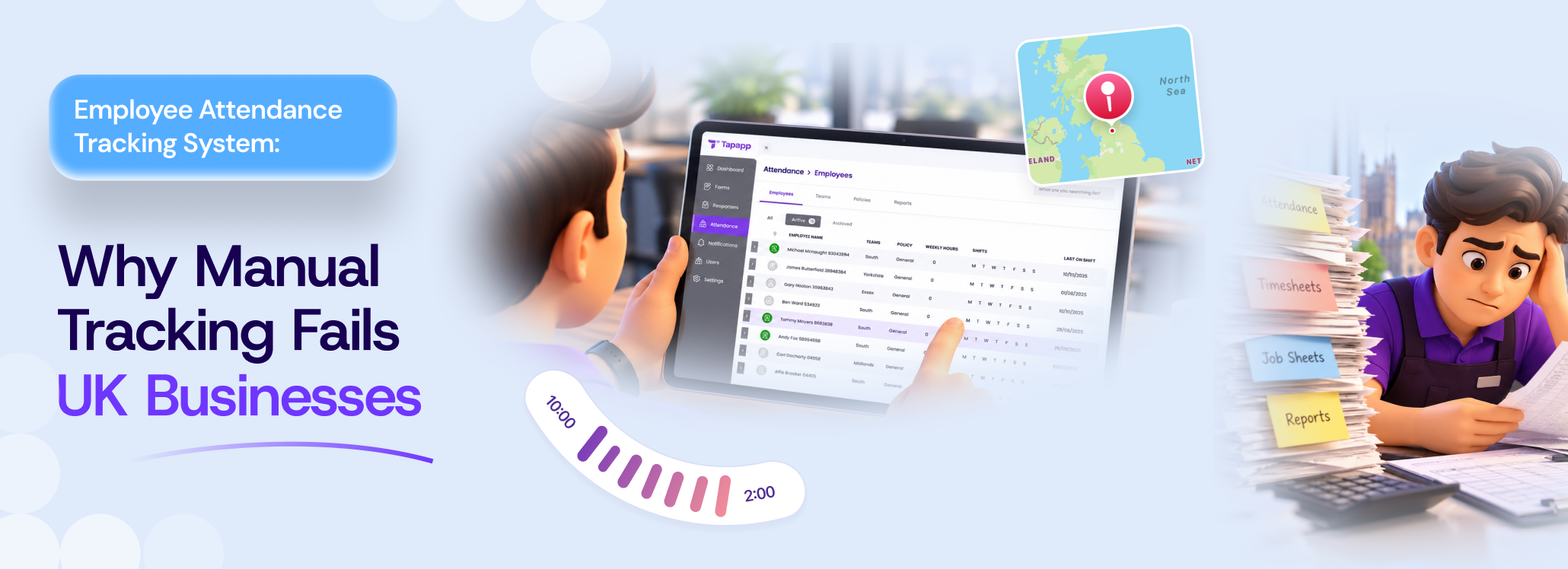
Manual employee attendance tracking system may seem simple, but spreadsheets, paper registers, and handwritten timesheets create problems as UK businesses manage larger teams, multiple work locations, and changing shifts. Inaccurate time entries, missed clock-ins, and delayed updates make it difficult to verify working hours, maintain call records, and prepare payroll. These challenges mainly affect grounds maintenance, cleaning, housing, and service businesses with employees working across client sites.
According to MHR Global, 39% of businesses still use paper sheets or manual forms for tracking time and attendance. This dependence on manual records shows why organizations need a more reliable way to capture working hours and manage attendance data.
Why Manual Employee Attendance Tracking System Fails?
Manual attendance processes can cause errors, reporting delays, payroll complications, and accountability gaps, especially for UK businesses with multiple client locations and changing shifts. An employee attendance tracking system addresses these challenges by streamlining attendance recording through seamless capture, review, and management.
🔷 Human Errors and Inaccurate Time Entries
Handwritten spreadsheets and registers rely on consistent data entry, making incorrect times, missed clock-ins, illegible handwriting, and calculation mistakes harder to identify before processing payroll.
🔷 Time Theft and Buddy Punching Are Difficult to Detect
Paper records depend on who records attendance, allowing buddy punching or inaccurate entries to go unnoticed when supervisors cannot directly observe employees starting work.
🔷 Payroll Processing Becomes More Complicated
HR teams must reconcile attendance sheets, calculate working hours, correct discrepancies, and transfer figures into payroll, increasing administrative workload and the risk of incorrect payments.
🔷 Managing Attendance Across Multiple Sites Becomes Difficult
Coordinating attendance across sites becomes complex when supervisors collect records via calls, spreadsheets, or messages, delaying visibility into staffing gaps.
🔷 Manual Reporting Delays Workforce Decisions
Manual reporting leaves managers with outdated information, making it harder to spot recurring absences, overtime patterns, or coverage problems promptly.
🔷 Paper Records and Spreadsheets Create Audit and Data-Management Challenges
Paper records and spreadsheets are complex to search, retrieve, and secure, complicating checks and making inconsistencies difficult to trace.
🔷 Inconsistent Records Make Fair Attendance Management Harder
Inconsistent records make it difficult for employees to challenge errors and for managers to apply attendance policies fairly across teams.
The Hidden Business Costs of Manual Attendance Tracking for Mobile Workers
Manual employee attendance tracking system costs businesses more than the time spent maintaining registers or updating spreadsheets. Inaccurate records, repetitive administrative work, and delayed reporting undermine payroll accuracy, reduce workforce productivity, and lower operational efficiency.
*️⃣ Higher Administrative Costs
HR teams and supervisors spend hours collecting timesheets, checking entries, correcting mistakes, and reconciling working hours. These repetitive tasks reduce time available for employee support, planning, and other priorities.
*️⃣ Payroll Errors and Payment Disputes
Incorrect attendance records can lead to underpayments, overpayments, overtime disputes, or incorrect working hours. Investigating discrepancies adds administrative effort and can undermine employee confidence in payroll processes.
*️⃣ Reduced Workforce Productivity
When managers spend time chasing attendance information instead of coordinating work, operational decisions are delayed. This is especially challenging for cleaning, grounds maintenance, housing, and service businesses managing employees across multiple client sites.
*️⃣ Limited Visibility Into Labor Costs
Scattered attendance records make it harder to identify overtime patterns, recurring absences, and staffing gaps. Without reliable information, businesses struggle to allocate resources efficiently or assess workforce utilization.
*️⃣ Greater Record-Retrieval and Compliance Risks
Missing, inconsistent, or poorly organized attendance records complicate internal checks, payroll queries, and requests for supporting documentation. Accessible, accurate records help businesses demonstrate oversight and investigate discrepancies efficiently. Attendance tracking for mobile workers creates hidden costs through wasted administrative time, avoidable corrections, and limited visibility into the workforce. Improving how UK businesses record and review attendance data can help them manage these risks more effectively.
Note: How does manual tracking impact employee well-being and trust?
Manual tracking can cause frustration when attendance records contain errors or employees must repeatedly request corrections. Accurate, transparent processes help build trust and support fair attendance.
Manual vs Digital Employee Attendance Tracking
Manual attendance tracking for mobile workers depends on paper registers, handwritten timesheets, and spreadsheets, while digital attendance tracking records working hours via software or electronic clock-in methods. For UK businesses with employees across multiple sites, the right approach depends on shift patterns, workforce size, record-keeping requirements, and operational complexity.
| Comparison Factor | Manual Attendance Tracking | Digital Attendance Tracking |
|---|---|---|
| Record Collection | Employees finish paper registers or timesheets. | Employees record attendance via supported |
| Accuracy | Manual entries and calculations can introduce errors. | Structured records can enhance visibility across sites. |
| Multi-site Visibility | Managers may require for gathering records from different locations. | Centralised records can enhance visibility across sites. |
| Reporting | Information mostly requires to be compiled manually | Reports can be generated from recorded attendance data. |
| Payroll Preparation | HR teams may require reconciling transfers hours manually. | Digital records can streamline timesheet review and payroll preparation. |
| Record Retrieval | Paper files as well as separate spreadsheets can be complex to search. | Electronic records can be simpler to retrieve, subject to the design of the system. |
| Implementation | Usually requires little initial technology setup. | Needs system selection, staff training, configuration and adoption. |
| Data Protection | Paper records still need secure storage and controlled access. | Digital records need appropriate access controls, security, and retention policies. |
Which Method Is Better?
Manual tracking may suit very small teams with stable working hours and few locations. Digital attendance tracking is mostly more practical when a business requires consistent records, faster reporting, and visibility across changing shifts or multiple sites. However, digital tools still need proper use, correct configuration, and regular review.
How to Move from Manual to Digital Attendance Tracking?
Moving from paper records to an employee attendance tracking system works best when businesses plan the transition around the current workflows. These steps can help UK employers introduce digital attendance tracking with less disruption.
- Review Your Current Process: Find out recurring attendance errors, payroll discrepancies, reporting delays, and challenges coordinating employees across locations.
- Define Your Needs: Decide whether you require mobile clock-ins, location verification, shift-based records, attendance reports, or timesheet exports.
- Choose the Right System: Compare ease of use, reporting capabilities, integration options, access controls, and compatibility with your workforce’s working patterns.
- Set Clear Attendance Rules: Explain clock-in procedures, missed-punch corrections, approval responsibilities, and how you’ll use attendance information.
- Run a Pilot Before Switching: Test the system with a small team or one location. Compare digital records with existing timesheets and resolve discrepancies before wide adoption.
- Train Employees and Managers: Show employees how to record attendance, correct mistakes, review entries, and escalate technical issues, and show managers how to review entries and handle exceptions.
- Monitor Results After Rollout: Review record accuracy, payroll queries, time reporting, and employee feedback to identify where processes need improvement.
Note: Can businesses switch to digital attendance tracking without replacing their entire workforce management process?
Yes. Businesses can digitize attendance first and gradually connect scheduling, reporting, and digital forms. Tapapp helps bring these functions together to support existing business workflows.
What UK Businesses Need to Know About Attendance Records?
For businesses looking for employee attendance tracking UK, maintaining accurate working time records can support payroll preparation, employee queries, and compliance with relevant employee regulations. However, rules in the UK do not require every employer for recording every employee’s daily hour in all circumstances.
Key Attendance Record-Keeping Needs
- Working Time Regulations: Employers should keep adequate records to demonstrate compliance with specific working-time requirements. These records generally need to be retained for two years.
- Accurate, Accessible Records: Employers must maintain accurate records, correct inaccuracies, and ensure authorized staff can access the data they need.
- Employee Privacy: Attendance data is personal data. Employers must establish a lawful basis to process it, explain why it is collected, and apply appropriate security and access controls.
What Should Employers Do?
Businesses must define clear attendance procedures, document corrections, and regularly review records. Digital tools can streamline retrieval and reporting, but employers remain responsible for managing employee information appropriately.
What to Look for in a Digital Attendance Tracking System?
When choosing an employee attendance tracking system, UK businesses should prioritize accurate records, simple reporting, payroll support, and secure data handling. The right features can help manage attendance consistently across teams, shifts, and multiple work locations.
➡️ Automated Time and Attendance Records
Automatically record clock-ins and clock-outs to decrease manual entry, simplify timesheet preparation, and make working-hour discrepancies easier to find.
➡️ Location-Based Attendance Verification
Look for geofencing, QR-based check-ins, and location-based verification where appropriate for attendance at designated spots, while avoiding unnecessary employee monitoring.
➡️ Centralized Attendance Data and Reporting
Pick a system that consolidates attendance records across locations. This helps managers efficiently review absences, shift coverage, overtime, and workforce patterns.
➡️ Easier Timesheet Review and Payroll Preparation
Prioritize clear timesheets, approval processes, correction workflows, and export options that help payroll teams verify recorded hours before processing payments.
➡️ Clearer Accountability and Fairer Attendance Management
Maintain traceable attendance and correction histories so managers can consistently investigate discrepancies and employees can raise concerns about incorrect entries.
➡️ UK Data Security and GDPR Considerations
Review access controls, retention settings, encryption, and processor agreements to safeguard employee data and support compliance with applicable data-protection requirements.
How Tapapp Helps UK Businesses Improve Attendance Tracking?
Tapapp helps UK businesses replace paper registers and disconnected spreadsheets with a digital approach to workforce attendance. Its attendance, scheduling, and digital forms features work together to support teams managing employees across several sites.
❇️ Simplifies Employee Clock-In
Tapapp supports GPS check-ins, geofencing, and optional selfie verification. This helps businesses verify attendance at designated work locations.
❇️ Connects Attendance With Scheduling
Managers can coordinate shifts and job assignments while reviewing attendance data, helping them identify missed shifts and staffing gaps across locations.
❇️ Make Timesheets Review Easier
Organize recorded attendance into timesheets and exportable reports, helping managers review employees’ working hours and prepare payroll data more efficiently.
❇️ Enhances Visibility Across Sites
Centralized attendance records help grounds maintenance, cleaning, housing, and service businesses review field-team activity without gathering separate paper records for every location.
❇️ Supporting Better Record Management
Digital attendance logs and reporting make it simpler to retrieve records, review discrepancies, and maintain visibility into attendance-related changes. Employers should still handle employee data responsibly and meet applicable UK data protection requirements.
When Should a UK Business Move Beyond Manual Attendance Tracking?
Growing teams, complex schedules, and frequent errors can signal that manual attendance tracking is no longer effective.
🔶 Frequent Attendance Errors
Repeated missed clock-ins, incorrect working hours, and manual corrections can make attendance records untrustworthy.
- Employees often forget to record their start and end times.
- Managers spend time correcting timesheets and investigating discrepancies.
🔶 Growing Teams and Multiple Sites
As teams expand across locations, coordinating paper timesheets becomes difficult.
- Supervisors require attendance visibility across different work sites.
- Shift changes and field-based routines complicate record collection.
🔶 Increasing Payroll Queries
Frequent attendance discrepancies can delay payroll preparation and increase the administrative effort required to verify employee working hours.
- HR teams repeatedly reconcile timesheets against recorded hours.
- Employees raise queries about missing hours, overtime, or incorrect entries.
🔶 Limited Workforce Visibility
Delayed attendance updates make it difficult for managers to respond faster to absences and staffing gaps.
- Managers struggle to find recurring absences and overtime patterns,
- Staffing decisions depend on outdated or incomplete attendance information.
🔶 Greater Records-Keeping Requirements
Businesses that need accessible records and consistent reporting must evaluate UK employee attendance tracking systems suited to their operational and data-safeguarding needs.
- Managers require searchable records for attendance reviews and payroll queries,
- Employers require appropriate access controls, retention practices, and secure handling of employee data.
Note: Why should attendance tracking and employee scheduling work together?
Connecting attendance with scheduling helps managers compare planned shifts with actual check-in times, identify staffing gaps, review attendance discrepancies, and coordinate teams across multiple work locations.
Final Thoughts
Manual attendance tracking can create unnecessary administrative work, payroll discrepancies, inaccurate records, and limited visibility across multiple work locations. For UK businesses with changing shifts, field teams, or growing workforces, these challenges can affect operational efficiency and employee accountability.
Moving to digital attendance tracking helps streamline clock-ins, centralize records, optimize timesheet reviews, and improve workforce visibility through reliable employee verification and responsible data management.
By moving beyond paper registers and spreadsheets, businesses can develop more consistent attendance processes and make better-informed workforce decisions. Tapappp helps UK businesses connect attendance, scheduling, and reporting in one platform.
Frequently Asked Questions
UK employers should keep records relevant to working-time obligations, attendance policies, and payroll, ensuring the data stays accurate, accessible, and secure.
Yes. Digital attendance tracking helps small businesses decrease manual administration, review working time, manage shifts, and maintain accessible records as the marketing team grows.
Assess team size, shift patterns, check-in methods, reporting requirements, payroll workflows, staff training, system costs, and employee data protection needs before implementation.
Businesses must establish a proper correction process. Employers can report missed entries, while managers verify details and approve adjustments as per attendance policies.
Choose a system that suits your workforce, supports trustworthy attendance records, simplifies reporting, and offers appropriate security controls. Tapapp helps connect attendance with scheduling and digital forms.