

Key Takeaways:
- AI eliminates the repetitive work involved in creating digital forms.
- Standardised digital forms help field teams improve reporting accuracy and compliance.
- Organisations can digitise existing paper forms instead of rebuilding inspections and checklists from scratch.
Why Form Creation Was the Missing Piece in Digital Transformation
Digital forms have become an important asset for organisations managing field teams, which helps them capture accurate details and maintain a standardised process. However, for many businesses, one challenge remains: creation of forms.
Thanks to AI for bringing about a significant transformation. Now, instead of starting with a blank page, AI can generate the first draft of a well-layout digital form, giving teams a faster way to move from manual paperwork to digital workflow.
This results in less administrative overhead and more uniform performance, meaning AI is starting to remove that bottleneck.
Why Digital Forms Matter in Modern Field Operations
Paper doesn’t loudly fail. A page that never makes it back to the office or a signature that’s hardly legible. Manual data entry adds a layer of risk. Every handwritten sheet has to be typed up by someone; that’s where boxes get missed, and quick fixes turn into permanent gaps.
Consistency cannot be achieved when relying on paper forms. One manager’s version of a site inspection isn’t going to be the same as another’s. The reports look fine over the top, but when you roll them up across a portfolio, they tend to tell a different story.
Digital forms have taken hold the fastest in:
- Cleaning
- Housing
- Grounds maintenance
- Landscaping
- Facilities management
- Security
The Challenges of Creating Digital Forms Manually
Going digital doesn’t mean the form-building process becomes easy. Most teams trade a paper issue for a screen problem, and the manual work underneath rarely changes. When businesses depend on multiple inspection types and departments, repetitive work becomes time-consuming and tough to manage.
🔷 Starting Every Form from Scratch
Every inspection, audit, and checklist has its own requirements. Building each form separately means manually adding questions, sections, response fields, etc., even when many forms share similar information. This slows down the rollout of digital workflows.
🔷 Reusing Old Templates Isn’t Always Effective
Many businesses duplicate existing forms to save time. Outdated templates, however, contain irrelevant fields, missing questions, or inconsistent formatting. This needs additional editing before they are ready to be used.
🔷 Inconsistent Layouts Reduce Standardisation
If different departments create their own forms, question formats, and layouts can vary. This inconsistency makes it hard to compare data, get precise reports, and maintain standard operations across the organisation.
🔷 Important Fields Can Be Overlooked
It’s easy to miss out on fields that are important when forms are built manually. Fields such as signatures, photo uploads, compliance-related questions, and mandatory responses. This leads to incomplete records and requires follow-up work.
What Is an AI Form Builder?
AI form builders simplify digital form creation by automatically generating structured forms from simple text descriptions. Instead of adding every question manually, users can explain what they need in plain English, and the AI creates a ready-to-edit draft in minutes.
For businesses that deal with multiple audits, checklists, and so on, this reduces the time spent on building forms. Teams can customise, review, and publish forms that align with their operational needs.
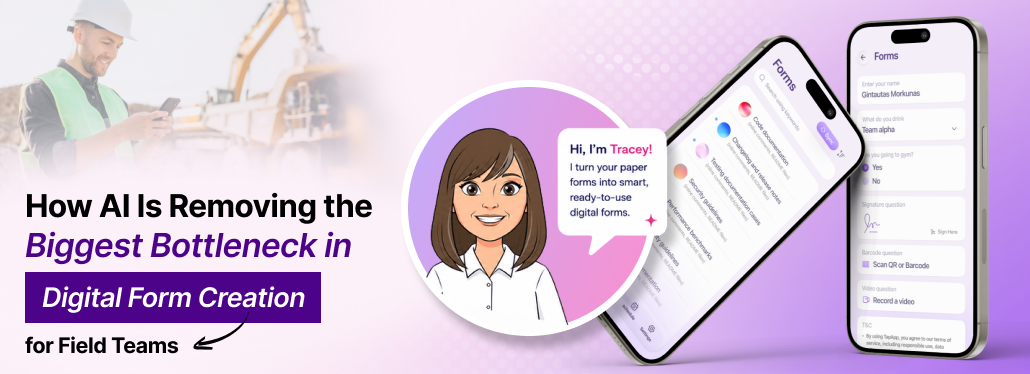
Introducing Tracey AI: AI-Powered Form Creation by Tapapp
Instead of building every audit or inspection form manually, Tracey AI generates digital forms by simply describing what they need.
For example:
“Create a commercial cleaning site inspection form with room checks, supervisor signature, photo uploads, and completion status.”
Based on this, the AI can produce a structured digital form containing:
- Inspection sections organised by area
- Checkbox questions for cleaning tasks
- Customise fields before publishing
- Reuse forms across multiple teams
- Supervisor signature field
- Comment or notes section
How AI Simplifies Digital Form Creation
Now you know that creating digital forms is no longer a time-intensive task. Implementing AI forms helps organisation save time and improve field service.
Here are some of the key ways AI simplifies form creation:
➡️ Generates Forms in Seconds
No need to build every section manually. AI creates a structured digital form within minutes. This eliminates repetitive setup work.
➡️ Understands Natural Language
Instead of learning complex software or design forms from the very beginning, you can simply describe the form you need in plain English.
➡️ Creates Consistent Templates
AI helps in generating templates for digital forms. This makes inspections, reports, and audits easier to complete.
➡️ Reduces Human Error
When forms are created manually, it’s easy to miss questions and formatting. AI minimises these issues by generating logical form structures that can be refined and reviewed before deployment.
➡️ Saves Hours of Administrative Work
Administrators and managers spend less time recreating forms or filling in incomplete fields. By speeding up the initial form-creation process, AI frees up crucial time that can be spent supporting field teams.
Practical Use Cases of AI Digital Forms Across Industries
AI-powered forms can be adapted to suit a range of field operations. From compliance reporting to routine inspections, businesses across industries can create standard forms.
🔶 Cleaning
Common forms: Site inspection, Washroom checklist, Deep cleaning audit
- Standardise cleaning inspections and quality checks across multiple sites
- Capture photos and task completion records in real-time to improve accountability
🔶 Housing
Common forms: Property inspection, Void inspection, Tenant handover, Estate inspection
- Digitise property inspection and handover processes to create a structured record
- Document property conditions, tenant information, and maintenance issues with photos and a digital signature
🔶 Grounds Maintenance
Common forms: Park inspection, Playground safety inspection, Tree inspection, Seasonal maintenance
- Records inspections for public spaces, outdoor assets, and landscaping activities from any locations
- Track maintenance needs and spot safety risks before they become bigger issues
🔶 Facilities Management
Common forms: Asset inspection, HVAC checklist, Preventive maintenance
- Conduct routine equipment and facility inspections using digital checklists
- Improve maintenance planning by recording faults and inspection results in one place
🔶 Security
Common forms: Patrol reports, Incident reports, Site opening checklist
- Allow security teams to document patrols, incidents, and everyday site checks
- Collect time-stamped records, photos, and signatures to strengthen compliance
Benefits of AI-Generated Digital Forms for Field Teams
Creating digital forms has traditionally been treated as an administrative task, but it affects how quickly new processes can be rolled out. Every new inspection or audit for compliance requirements usually means creating another form.
The good news is that AI has changed this by eliminating the repetitive setup required for form creation. Rather than eliminating human expertise, it gives teams a structured starting point that can be reviewed, refined, and deployed quickly.
| Traditional Approach | AI Form Creation |
| Manual form design from scratch | Generate structured forms in minutes |
| Repetitive setup for every new form | Automate the initial form creation process |
| Inconsistent template across teams | Standardised forms for greater consistency |
| Updates and revisions are time-consuming | Easy to edit and refine forms as needs change |
| Higher admin workload | Reduced manual effort and faster deployment |
The biggest advantage is reducing the bottlenecks that delay digital transformation.
From Blank Page to Ready Form with Tracey AI
Digitising field operations doesn’t fail because teams resist change. It slows down because each new process requires creating a new form. This added effort delays implementation and reduces operational efficiency. As inspections evolve, compliance requirements grow, and services expand, many organisations find themselves repeatedly rebuilding forms and documents that have already been created in one form or another.
AI changes that starting point.
Instead of asking teams to spend hours recreating paper forms, Tapapp’s Tracey AI builds an intelligent first draft. This seemingly small change has a much bigger impact. It makes it easier to standardise inspection across sites and roll out new processes without unnecessary delays.
With Tapapp’s Tracey AI mobile forms platforms, businesses spend less time creating documentation and more time improving how work is delivered in the field.
Frequently Asked Questions
Yes, Tracey AI generates an editable draft that you can customise before publishing. You can add or remove fields and questions, rearrange sections, and tailor the form to your workflow and compliance standards.
AI-generated form offers a standard starting point that ensures every team collects information using the same format. This reduces variation across departments and makes it easier to compare data across multiple sites and projects.
Absolutely. Once a form is reviewed and finalised, it can be saved as a reusable template for recurring audits, inspections, maintenance visits, and compliance checks. This removes the need to recreate similar forms each time, maintaining consistency.
Yes, Tracey AI helps with form creation. All data collected through your digital forms is stored with maximum security within the Tapapp platform. This provides organisations with a reliable digital record of field activities.
Yes. On publishing the digital form, it can be shared across multiple departments, locations, and teams. This lets everyone follow the same inspection process, capture information, and work from the latest approved version of the form.
No. Tracey AI is built into Tapapp’s Forms module, so there’s no additional software or separate app to install. Simply create a form by describing what you need or uploading an existing paper form, review the generated draft, make edits, and publish it for your field teams.